

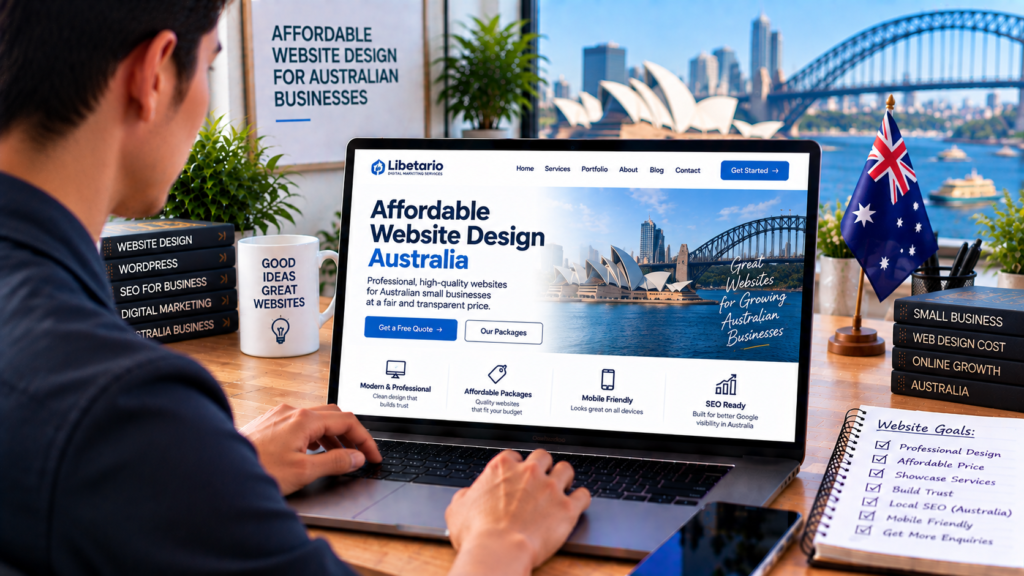
A professional business website doesn’t necessarily need to cost tens of thousands of dollars.
For many Australian small businesses, the real challenge is finding the right balance between affordability, professional design and functionality.
Spend too little and you may end up with a website that looks unfinished, performs poorly or doesn’t properly represent your business.
Spend far more than your business actually requires and you may be paying for functionality you don’t need.
That’s why businesses searching for affordable website design in Australia should look beyond the cheapest advertised price.
The better question is:
What website does my business actually need, and what should reasonably be included in the price?
What Does “Affordable Website Design” Actually Mean?
Affordable doesn’t have to mean cheap.
There is an important difference.
A cheap website focuses primarily on reducing the upfront price.
An affordable professional website focuses on providing the functionality and quality a business genuinely needs at a reasonable cost.
For a small business, that may mean:
Professional design
Mobile-friendly pages
Clear service information
Contact or quote forms
Basic SEO foundations
Fast-loading pages
Secure hosting
Easy navigation
Room for future expansion
You may not need advanced custom software, complicated animations or dozens of pages.
Pay for what helps the business.
Start With Your Business Objective
Before comparing website packages, determine what the website needs to accomplish.
For example, do you want customers to:
Call your business?
Request a quote?
Book an appointment?
Visit your location?
Purchase products?
Submit an enquiry?
View your previous work?
Your objective influences what needs to be built.
A local electrician who primarily needs quote enquiries may require a relatively straightforward website.
An online retailer with hundreds of products, payment processing and shipping rules needs something much more sophisticated.
Both can have professional websites.
They simply don’t require the same investment.
How Many Pages Do You Actually Need?
Website cost often increases as the scope becomes larger.
Before paying for 20 pages, ask whether your business actually needs 20 pages today.
Many small businesses can begin with:
Home
About
Services
Projects / Portfolio
Contact
Businesses with several important services may benefit from additional individual service pages.
For example:
Air Conditioning Installation
Air Conditioning Repairs
Air Conditioning Maintenance
You can expand the website over time as the business grows.
Starting strategically is often more sensible than building unnecessary pages simply to make the website appear larger.
What Should an Affordable Business Website Include?
A professional small-business website should generally cover the fundamentals.
Responsive Design
The website should work properly across desktops, tablets and smartphones.
Professional Layout
Pages should use consistent typography, spacing, colours and visual hierarchy.
Clear Navigation
Visitors should quickly understand where to find services, company information and contact options.
Contact Functionality
Customers should have an easy way to contact the business.
Basic Search Optimisation
The website should have sensible page titles, headings, URLs, image ALT information and a structure that search engines can understand.
Website Security
A business website should use HTTPS and appropriate security practices.
Performance Optimisation
Images and other website assets should be appropriately optimised.
These are foundational requirements—not unnecessary luxuries.
Don’t Pay for Features You Don’t Need
One way to keep website development affordable is to avoid unnecessary complexity.
For example, your business may not currently need:
Membership functionality
Customer dashboards
Complex automation
Custom mobile applications
Advanced databases
Multi-vendor e-commerce
Custom API development
Hundreds of pages
These features can be valuable when there’s a genuine business requirement.
But adding functionality simply because it sounds impressive can increase development and maintenance costs without improving results.
Start with your actual needs.
Templates Aren’t Automatically Bad
Some businesses assume every professional website must be completely designed and coded from a blank screen.
That’s not always necessary.
A well-selected professional framework or design system can reduce development time while still allowing the website to be customised around the business.
What matters is the finished result.
A professional website should still reflect your:
Brand
Services
Customers
Content
Calls to action
Business goals
The problem isn’t using a framework.
The problem is delivering a generic website that could belong to any business.
WordPress Can Help Keep Costs Practical
WordPress can be a useful platform for small and growing Australian businesses because it provides a flexible foundation without requiring every standard feature to be custom-developed.
Depending on the project, WordPress can support:
Business websites
Blogs
Online stores
Booking systems
Portfolio websites
Property websites
Accommodation websites
Memberships
Forms
Third-party integrations
This can make it possible to begin with a relatively straightforward business website and add functionality later.
However, WordPress still needs proper setup, hosting, security, updates and maintenance.
Affordable Doesn’t Mean Ignoring Mobile Design
A low-cost website that performs badly on smartphones isn’t a bargain.
Mobile visitors may represent a significant portion of your potential customers.
Your mobile website should provide:
Readable text
Easy navigation
Large buttons
Simple forms
Clickable telephone numbers
Fast-loading images
Clear calls to action
Mobile optimisation should be included in the project rather than treated as an expensive optional extra.
Affordable Doesn’t Mean Ignoring SEO
SEO is a long-term discipline, and advanced campaigns can involve substantial ongoing work.
However, the website itself should still be built with basic search-friendly foundations.
That can include:
Logical page structure
Page titles
Heading hierarchy
Clean URLs
Internal linking
Image ALT text
Mobile usability
Performance
Search-friendly content
A website shouldn’t need to be completely rebuilt simply because basic SEO wasn’t considered during development.
Avoid Keyword Stuffing
If your business wants to rank for:
plumber Sydney
you don’t need to write:
“We are a plumber Sydney customers choose when they need a plumber Sydney because our plumber Sydney service…”
That doesn’t provide a good reading experience.
Use keywords naturally.
Explain your services properly.
Answer customer questions.
Provide genuine local information.
SEO should improve the usefulness and discoverability of your website—not make the content awkward.
Use Real Business Content
You can reduce website costs by preparing good-quality content before development begins.
Gather:
Logo
Business description
Services
Contact details
Service areas
Team information
Customer reviews
Project photographs
Frequently asked questions
Social links
Brand colours
The more organised your materials are, the easier it is for a designer to understand and represent your business.
Good Photography Can Make an Affordable Website Look Premium
You don’t necessarily need an enormous design budget to make a strong visual impression.
High-quality photographs can transform a relatively simple website.
Consider obtaining genuine images of:
Your team
Your work
Your premises
Your vehicles
Your products
Your projects
Your customers, where permission is appropriate
A clean design combined with excellent real photography can often look more premium than an expensive website filled with generic stock images.
Prioritise the Homepage
If your budget is limited, make the core customer journey excellent before adding secondary features.
Your homepage should quickly communicate:
What the business does
Who it serves
Where it operates
Why customers should trust it
What visitors should do next
A simple homepage structure could be:
Hero + Main Call to Action
↓
Services
↓
Why Choose Us
↓
Recent Work
↓
Reviews
↓
Service Area
↓
Get a Quote
Clean structure matters more than excessive animation.
Build Trust Without Expensive Features
Trust doesn’t require complicated technology.
Some of the strongest trust elements are relatively simple:
Real reviews
Real photographs
Business address
Telephone number
Team profiles
Completed projects
Years of experience
Relevant qualifications
Professional memberships
Clear policies
If these apply to your business, display them clearly.
Customers are looking for reasons to feel confident—not special effects.
Make Enquiries Easy
If lead generation is the primary purpose of the website, don’t overcomplicate the enquiry process.
A basic form may only require:
Name
Telephone
Service
Message
You can gather additional details later.
For mobile visitors, make telephone numbers clickable.
If your business communicates through another appropriate channel, that can also be integrated where useful.
The objective is to remove unnecessary barriers between interest and contact.
Understand the Difference Between Initial and Ongoing Costs
When comparing affordable website-design providers in Australia, don’t look only at the upfront figure.
Ask about ongoing expenses.
These might include:
Domain renewal
Hosting
Website-builder subscription
Premium plugins
Maintenance
Security
Backups
Support
E-commerce software
Booking systems
For example, one provider may advertise a very low setup cost but require an ongoing monthly subscription.
Another may charge more upfront but have fewer recurring expenses.
Compare the total cost of ownership, not only the initial price.
Ask Whether You Own the Website
Website ownership should be clear before work begins.
Ask:
Do I own the completed website?
Who controls the domain?
Can I access the website administration?
Can the website be transferred?
What happens if I stop using your service?
Are any features dependent on your subscription?
Affordable pricing shouldn’t come at the expense of clarity.
Be Careful With Extremely Cheap Website Offers
A very low advertised price isn’t automatically a problem.
But investigate what is actually included.
An inexpensive offer may exclude:
Content
Mobile optimisation
SEO setup
Contact forms
Hosting
Security
Revisions
Support
Premium functionality
Website ownership
The final cost may therefore be substantially different from the headline price.
Request a clear scope before proceeding.
Should You Hire a Freelancer or Web Design Company?
Both can be valid options.
A freelancer may provide:
Lower overhead
Direct communication
Flexible service
A web design company may provide access to:
Designers
Developers
SEO specialists
Content support
Project management
But company size alone doesn’t determine quality.
Review:
Portfolio
Communication
Scope
Pricing
Experience
Support
Client feedback
Choose the provider that best matches your project.
Can an Overseas Web Designer Work for an Australian Business?
Yes.
Modern web-development projects can often be completed remotely.
An Australian business can work with a designer or agency based elsewhere, provided communication, project management, scope and support arrangements are clear.
The important considerations include:
Quality of work
Communication
Understanding of your target market
Availability
Pricing transparency
Support
Website ownership
Technical capability
Location is one factor—not the only factor.
What About Time Zones?
Working with an overseas provider can introduce time-zone differences.
That can be either inconvenient or useful depending on how the project is managed.
Clear communication systems help.
Before beginning, establish:
Primary communication channel
Typical response times
Meeting availability
Revision process
Who is responsible for approvals
Good project management matters more than everyone sitting in the same city.
Can a Lower-Cost Website Still Look Premium?
Absolutely.
Premium appearance is often created through restraint.
A professional design can use:
Strong typography
Generous spacing
Consistent colours
Large quality imagery
Clear hierarchy
Simple navigation
Intentional sections
Consistent buttons
A website doesn’t need excessive effects to look expensive.
In many cases, simpler design looks more confident.
Build the Website So It Can Grow
An affordable website today shouldn’t necessarily become a dead end tomorrow.
You may later want to add:
More service pages
Blog articles
Locations
E-commerce
Booking
Online payments
CRM integration
Case studies
Customer portals
Marketing automation
You don’t need to purchase all of these features now.
But discuss future plans with your developer so the initial website provides a reasonable foundation.
Is the Cheapest Website the Most Affordable?
Not necessarily.
Imagine Website A costs less initially but needs to be replaced after one year.
Website B costs somewhat more but works properly, can be expanded and continues supporting the business for several years.
Website B may ultimately be the more affordable option.
Think beyond the invoice.
Consider:
Useful lifespan
Maintenance
Flexibility
Ownership
Performance
Business value
Affordable should mean good value relative to what your business needs.
Questions to Ask Before Choosing an Affordable Web Designer
Before proceeding, ask:
What’s included in the quoted price?
How many pages are included?
Are revisions included?
Is mobile design included?
Is basic SEO setup included?
Is hosting included?
Are there monthly fees?
Who owns the website?
Can I move the website later?
What support is included after launch?
What costs extra?
A professional provider should be able to explain the scope clearly.
How to Keep Your Website Budget Under Control
You can often reduce unnecessary cost by:
Starting with essential pages
Preparing content early
Providing your branding
Providing quality photographs
Giving clear instructions
Combining feedback into organised revisions
Avoiding unnecessary functionality
Planning future features instead of building everything immediately
Clear project scope protects both the client and the web designer.
Frequently Asked Questions
How much does an affordable website cost in Australia?
There is no universal price. Website cost depends on page count, design, content, functionality, integrations, e-commerce requirements and the provider’s service model.
Can a cheap website rank on Google?
Price alone doesn’t determine rankings. Search visibility depends on factors including website structure, content, technical performance, competition, relevance and authority. No legitimate provider can guarantee a particular Google ranking simply because a website is built.
Is WordPress affordable for small businesses?
WordPress can provide a cost-effective foundation for many small businesses because it can support standard functionality without requiring everything to be developed from scratch. Hosting, maintenance and any premium software still need to be considered.
Do I need to pay monthly for a website?
Not necessarily. Some providers use monthly subscription models, while others charge for the project separately and have annual or optional ongoing costs. Ask for a complete breakdown before proceeding.
Can I start with a small website and add pages later?
Yes, provided the website is built on a platform and structure that supports reasonable expansion. This can be a practical approach for new or growing businesses.
What should an affordable business website include?
At minimum, it should professionally represent the business, work properly on mobile devices, clearly present services, provide easy contact options and use a sound technical foundation.
Looking for Affordable Website Design in Australia?
Libetario has served 200+ clients worldwide since 2017.
We help businesses create clean, professional websites without adding unnecessary complexity.
Our approach is to understand what your business actually needs, build around your customers and provide a website that can support your online presence as the business grows.
If you’re starting a new business, replacing an outdated website or comparing options for your next project, tell us what you’re looking for.